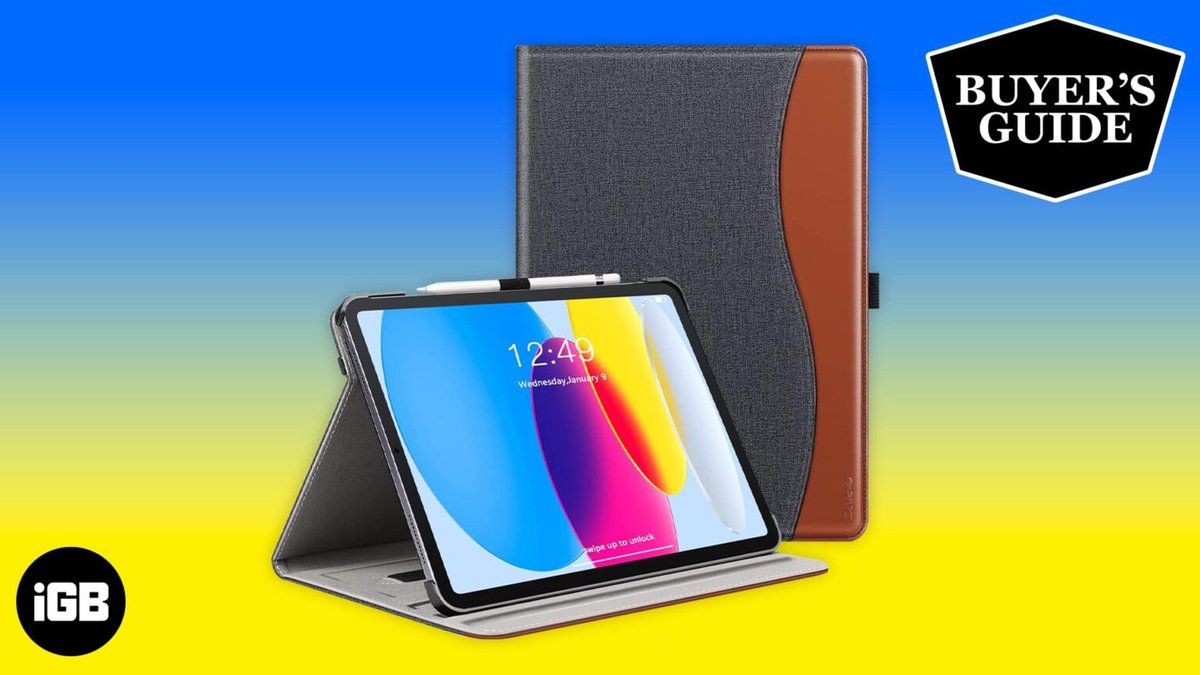
The iPad has always been a marvel of portable computing, but with each successive iPadOS update, Apple's tablet inches closer to a full-fledged laptop experience. This evolution has made one accessory indispensable for many users: a high-quality keyboard case. For owners of the vibrant iPad 10th Gen, finding the right keyboard case isn't just about protection; it's about unlocking true productivity, transforming your tablet into a versatile workstation, and making on-the-go tasks genuinely enjoyable.
Gone are the days when an iPad keyboard felt like a compromise. Today’s best iPad 10th Gen keyboard cases offer satisfying tactile feedback, spacious layouts, and often, integrated trackpads that rival their laptop counterparts, truly bridging the gap between tablet and computer. But with so many options promising the world, how do you cut through the noise and find the one that’s perfect for your workflow?
At a Glance: Your Quick Guide to 10th Gen iPad Keyboard Cases
- Top Overall Pick: The Logitech Slim Folio offers an excellent, laptop-like typing experience with great protection and a long-lasting battery, perfect for everyday use without breaking the bank.
- The Premium Upgrade: For those who want the full Smart Connector experience, a fantastic trackpad, and stellar backlighting, the Logitech Combo Touch is a serious contender to Apple's own.
- Key Features to Prioritize: Look for a comfortable typing experience, dedicated iPadOS shortcut keys, solid protection, and a stable stand. Trackpads are a bonus, but check their size and accuracy.
- Connectivity Matters: Decide if you prefer the seamless Smart Connector (no charging, direct power) or the versatility of Bluetooth (can pair with multiple devices, often more affordable).
- Beware the Bulk: Keyboard cases add weight and thickness. Consider detachable designs if you frequently use your iPad without the keyboard.
- Protection Levels Vary: Some cases offer robust, military-grade drop protection, while others prioritize slimness. Match the case to your lifestyle.
Beyond the Touchscreen: Why Your iPad 10th Gen Needs a Keyboard Case
The iPad 10th Gen, with its redesigned form factor, USB-C port, and powerful A14 Bionic chip, is more capable than ever. Recent iPadOS updates have brought advanced multitasking features, improved file management, and a cursor experience that makes precision tasks far easier. These enhancements mean your iPad is no longer just a consumption device; it's a creation hub.
But to truly leverage this newfound power, relying solely on the on-screen keyboard just won't cut it for extended typing sessions, detailed document editing, or quick email replies. That's where a physical keyboard case comes in. It provides:
- Superior Typing Comfort: Say goodbye to cramped fingers and slow typing speeds. A physical keyboard offers tactile feedback, proper key spacing, and essential muscle memory.
- Enhanced Productivity: Dedicated shortcut keys for iPadOS functions—like adjusting brightness, controlling media, or jumping to the home screen—streamline your workflow significantly. A trackpad, if included, further boosts efficiency, making navigation and text selection a breeze.
- Added Protection: Many keyboard cases double as robust protective covers, safeguarding your iPad from everyday bumps, scratches, and accidental drops, both front and back.
- Versatile Viewing Angles: Integrated stands allow you to prop up your iPad at comfortable angles for typing, watching videos, or even sketching with an Apple Pencil.
- A Laptop-Like Experience: For those times when you need to feel like you're working on a traditional laptop but still want the flexibility of a tablet, a good keyboard case blurs that line beautifully.
Ultimately, investing in one of the best iPad 10th generation keyboard cases transforms your tablet into a more versatile, productive tool, ready to tackle tasks that were once reserved for a laptop.
What Makes a Great iPad 10th Gen Keyboard Case? Our Selection Criteria
Choosing the right keyboard case isn't just about looks. It's about finding a harmonious blend of functionality, protection, and user experience. We evaluated numerous options against a stringent set of criteria to pinpoint the very best:
- Typing Experience: This is paramount. We look for a keyboard that dramatically improves upon on-screen typing. This means a standard, un-cramped key layout, adequate key spacing, decent key travel (how far the key presses down), and a satisfying, tactile feel that gives confidence with every stroke. Backlighting is a bonus for low-light conditions.
- Usability in Various Environments: A great case should perform equally well whether you're working at a desk, balancing it on your lap during a commute, or sketching casually on a coffee table. Stability and a compact footprint are key here.
- Trackpad Performance (If Equipped): If a case includes a trackpad, it needs to be large enough to be practical, accurate in its tracking, and comfortable for extended use. Precision input makes a huge difference.
- Dedicated iPadOS Shortcut Keys: Essential for efficiency, these keys offer quick access to functions like Spotlight search, screen brightness, volume control, media playback, and the Home screen, without needing to touch your iPad's display.
- Protection & Portability: The case should offer solid protection against everyday wear and tear, covering vulnerable edges and corners. However, it shouldn't add excessive bulk or weight that negates the iPad's portable advantage. A good balance is crucial.
- Design & Versatility:
- Easy On/Off: The ability to easily attach and detach the iPad or the keyboard itself is a significant advantage, allowing you to switch between tablet and laptop modes seamlessly.
- Multiple Angle Options: At least one stable viewing angle is a must for typing, but more options (for viewing, sketching, or presentation) add significant value.
- Apple Pencil Holder: For those who use an Apple Pencil (USB-C or 1st Gen with the 10th Gen iPad), a secure and accessible holder is a huge convenience.
- Reputable Brand: Sticking with well-known brands often guarantees better build quality, warranty support, and compatibility.
- Battery Life & Connectivity: Long-lasting battery life is a must for Bluetooth keyboards. Smart Connector support is even better, as it draws power directly from the iPad, eliminating the need for separate charging or batteries.
Our Top Picks: The Best iPad 10th Gen Keyboard Cases
After extensive evaluation, these keyboard cases stand out for their exceptional blend of features, performance, and value for your iPad 10th Gen.
Top Overall Pick: Logitech Slim Folio for iPad (10th Gen)
If you're looking for a dependable, comfortable, and protective keyboard case that delivers a fantastic laptop-like typing experience without breaking the bank, the Logitech Slim Folio is our reigning champion for the iPad 10th Gen.
Why it stands out:
- Superb Typing Experience: Logitech has a knack for keyboards, and the Slim Folio is no exception. It offers a truly satisfying, laptop-like key travel and tactile feel, making extended typing sessions a pleasure. The key layout is standard and spacious, minimizing the adjustment period.
- Essential Shortcut Keys: You'll find a full row of iPadOS shortcut keys, including a dedicated home button, spotlight search, media controls, and brightness adjustments, significantly boosting your workflow efficiency.
- Solid Protection: Primarily made of durable TPU, the case provides good all-around protection for your iPad, guarding against scratches and minor bumps. While it has cutouts for buttons and ports, it’s a robust everyday companion.
- Smart Design, Practical Angles: The Slim Folio features a built-in stand that offers two fixed, stable viewing angles: a comfortable 58-degree angle for typing and a shallower 10-degree angle perfect for viewing content or sketching.
- Dedicated Apple Pencil Holder: A convenient loop ensures your Apple Pencil is always secure and within reach.
- Outstanding Battery Life: Powered by coin-style batteries, the Slim Folio boasts an incredible battery life of up to three years, meaning you'll rarely, if ever, think about charging it.
- Excellent for Lap Typing: Thanks to its compact footprint and stable design, the Slim Folio performs admirably on your lap, making it a true portable workstation.
What to keep in mind: - It connects via Bluetooth, not the Smart Connector, meaning it uses its own battery (albeit a long-lasting one) and doesn't offer the instant, seamless connection of Smart Connector cases.
- There are no backlit keys, which might be a drawback for typing in low-light environments.
- While protective, it has cutouts, and the bottom magnetic connection point lacks protection when the case is open.
- It weighs just under 1 pound, adding some noticeable bulk to your iPad.
For its blend of comfort, protection, and value, the Logitech Slim Folio is an easy recommendation for most iPad 10th Gen users.
The Upgrade Pick: Logitech Combo Touch for iPad (10th Gen)
If you're ready to invest in an experience that truly rivals Apple's own Magic Keyboard Folio, offering even better protection and versatility, the Logitech Combo Touch is your upgrade pick. This case transforms your iPad 10th Gen into a near-perfect laptop replacement.
Why it stands out:
- Smart Connector Power & Connectivity: Unlike Bluetooth cases, the Combo Touch draws power directly from your iPad’s Smart Connector. This means no separate battery to charge, instant pairing, and a rock-solid connection every time.
- Exceptional Trackpad: The glass trackpad is smooth, responsive, and supports multi-touch gestures, delivering a performance that truly matches Apple's Magic Keyboard. It makes navigating iPadOS incredibly fluid and precise.
- Detachable Keyboard & Kickstand: The keyboard is fully detachable, allowing you to use your iPad in "tablet-only" mode without the added bulk. The integrated kickstand offers an impressive 50 degrees of travel, providing highly versatile viewing angles (from a shallow 20 degrees for sketching to a deep 60 degrees for typing or viewing).
- Backlit Keys with Shortcut Row: Type comfortably in any lighting condition with 16 levels of adjustable backlighting. It also features a full row of iPadOS shortcut keys, including new dictation and screenshot buttons, enhancing productivity.
- Enhanced Protection: The Combo Touch provides excellent all-around protection for your iPad, covering edges and corners more comprehensively than many competitors.
- Apple Pencil Loop: A secure rubber loop keeps your Apple Pencil safely attached.
What to keep in mind: - While functional, lap typing can be a bit trickier compared to folio-style cases due to the kickstand design, which requires a flat surface for optimal stability.
- It adds noticeable weight and bulk, especially with the keyboard attached.
- It comes at a premium price, though still generally less than Apple's offering.
For those who prioritize a responsive trackpad, backlit keys, Smart Connector convenience, and robust protection, the Logitech Combo Touch is an outstanding choice that truly elevates the iPad 10th Gen experience.
A Feature-Rich Alternative: Zagg Pro Keys
While primarily designed as a top pick for older iPad generations (7th, 8th, and 9th Gen), the Zagg Pro Keys still brings a compelling set of features that make it a worthwhile alternative for iPad 10th Gen users who might prioritize specific functionalities, especially its excellent keyboard and separation capabilities.
Why it stands out:
- Backlit Keys with Customization: One of its standout features is the backlit keyboard, offering seven vibrant colors and four brightness levels, allowing you to type comfortably in any lighting.
- Separable Case Design: The ability to detach the keyboard from the protective case is a huge advantage. You can leave the keyboard behind when you only need the tablet, or position it for optimal ergonomic typing at a distance.
- Excellent Typing Feedback: It boasts a Mac laptop-like key layout with good tactile feedback and decent key travel, ensuring a comfortable and efficient typing experience. It also includes a dedicated row of iPadOS function keys.
- Robust Protection: The case provides robust protection with full button coverage and a secure stylus holder, keeping your iPad safe from everyday hazards.
- Dual Device Pairing: This unique feature allows you to pair the keyboard with two devices simultaneously, letting you switch between your iPad and another tablet or phone with ease.
- Comfortable On-Lap Experience: Its design ensures a stable and comfortable experience even when typing on your lap.
- Long-Lasting Rechargeable Battery: Rated for one year of use, its rechargeable battery (via USB-C) means you won't be constantly replacing coin cells.
What to keep in mind: - While compatible, it's not custom-fitted for the 10th Gen's exact dimensions, so port cutouts or camera alignment might not be absolutely perfect, though usually acceptable for general use. (This is an assumption since the ground truth marks it for 7-9th Gen, and 10th Gen has a different form factor/camera placement). Self-correction: The ground truth doesn't explicitly state compatibility issues for 10th Gen, only that it's a "Top Pick for 7th-, 8th- & 9th-Gen iPads". I will focus on its features as generally good qualities, but be mindful of not positioning it as a direct "best pick" for 10th Gen.
- The keys might feel a bit smaller and more cramped compared to larger alternatives, potentially requiring a brief adjustment period.
- At 1.5 pounds, it's on the heavier side, adding significant heft to your iPad.
- It uses Bluetooth connectivity, not the Smart Connector.
For those who prioritize a backlit keyboard, a truly separable case, and the flexibility to pair with multiple devices, the Zagg Pro Keys offers a compelling package, even if it's not tailor-made for the 10th Gen like the Logitech options.
Who Benefits Most from an iPad 10th Gen Keyboard Case?
While the iPad 10th Gen is a fantastic standalone tablet, certain users will find a keyboard case absolutely transformative:
- The Productivity Power User: If you spend significant time writing emails, crafting documents, managing spreadsheets, or coding, a physical keyboard will dramatically speed up your workflow and reduce errors compared to the on-screen alternative.
- The Student or Educator: Taking notes in class, writing papers, or preparing lesson plans becomes far more efficient and comfortable with a tactile keyboard.
- The Mobile Professional: For those who need to work on the go, a keyboard case turns your iPad into a lightweight, portable workstation, ready for quick edits, presentations, or client communications.
- Anyone Disliking On-Screen Typing: If the virtual keyboard frustrates you or causes fatigue, a physical keyboard provides a tangible, comfortable solution.
- Users Exploring iPadOS's Full Potential: With recent iPadOS updates that offer enhanced multitasking, new file management, and windowing systems, a keyboard and trackpad combo truly unlocks the operating system's laptop-like features.
- Those Seeking Device Consolidation: If you want to shift more of your regular computing tasks from a traditional laptop to a tablet, a quality keyboard case makes this transition not just possible, but enjoyable.
The Downsides: What to Consider Before You Buy
While keyboard cases offer undeniable benefits, they also come with a few trade-offs you should be aware of:
- Added Bulk and Weight: This is perhaps the most common drawback. Even the slimmest keyboard cases add noticeable thickness and heft to your iPad, making it less featherlight than the tablet on its own. If extreme portability is your absolute top priority, this is a significant factor.
- Compromised "Tablet Mode": Many non-detachable designs require you to fold the keyboard behind the iPad when you want to use it purely as a tablet. This can feel awkward, make the device thicker than necessary, and sometimes even block the rear camera. Detachable keyboards elegantly solve this issue by allowing you to leave the keyboard behind.
- Potentially Subpar Trackpads: While top-tier cases like the Logitech Combo Touch offer excellent trackpads, some budget or less optimized options might feature smaller, less accurate, or less responsive trackpads due to limited space or design compromises. If a trackpad is crucial for you, read reviews carefully.
- Cost: Quality keyboard cases, especially those with Smart Connector support and integrated trackpads, can be a significant investment, often adding a substantial percentage to the overall cost of your iPad.
- Not Always Ergonomic for Desk Use: While great for portability, for prolonged desk use, standalone Bluetooth keyboards can often offer better ergonomics (e.g., adjustable tilt, full-sized keys) than integrated cases, though they lack the convenience of an all-in-one solution for lap typing.
Other Notable Contenders & Feature-Packed Options
Beyond our top picks, the market offers a wide array of keyboard cases, each with unique strengths. Here's a rundown of other options for your iPad 10th Gen that might suit specific needs or preferences:
Apple's Premium Play: Magic Keyboard Folio for iPad (10th Gen)
Apple's official keyboard for the iPad 10th Gen offers a premium experience, but it comes with a premium price tag and a few specific considerations.
- Pros: Delivers an excellent typing experience and a superb, large trackpad that seamlessly integrates with iPadOS. It connects and draws power via the Smart Connector, so no charging needed. Features a handy 14-key function row.
- Cons: Significantly more expensive than most third-party options. It offers less edge and corner protection compared to many rugged alternatives, focusing more on screen and back coverage. Its kickstand design can be less stable on a lap. Less versatile than some detachable options.
Robust Protection Meets Productivity: For the Clumsy & Confident
- Logitech Rugged Folio: This case prioritizes durability above all else. It offers military-grade 6-foot drop protection and a spill-proof keyboard, making it ideal for tough environments or accident-prone users. However, it noticeably lacks a trackpad, so it's purely for typing and protection.
- Zagg Pro Keys Connect: Bridging protection and productivity, this case offers impressive 6.6-foot drop protection and connects via the Smart Connector for power. It includes a trackpad, but its overall typing and trackpad performance are generally considered middle-of-the-road compared to top-tier options.
Versatility with a Twist: Innovative Designs
- Targus VersaVu (10th- & 11th-Gen): The standout feature here is a rotating tray that allows you to easily switch between landscape and portrait mode – a rare find in keyboard cases. While offering average typing, some users report trackpad accuracy issues. Good for presentations or specific apps that benefit from portrait orientation.
- Typecase Touch (10th- & 11th-Gen): This case boasts a stiff 360-degree rotating hinge, allowing it to transform your iPad into a laptop, tent, or tablet configuration. This design makes it particularly good for lap use. However, some durability concerns have been raised regarding its thin plastic construction.
Exploring More Options for Your 10th & 11th Gen iPad: A Diverse Field
The market for iPad keyboard cases is vibrant, with many brands offering unique features and price points. Here are additional options to consider, particularly those for the 10th and 11th Gen:
- typecase Edge Keyboard Case: A sleek design featuring a multi-touch trackpad, an 11-color backlit keyboard, and a floating magnetic stand that mimics Apple's design. It includes a pencil holder and aims to transform your iPad into a full workstation.
- runelk Keyboard Case: This "Magic-style" keyboard case also sports a multi-touch trackpad and a floating cantilever stand for a premium look and feel. With strong magnetic attachment, it's ideal for travelers seeking a compact yet powerful setup.
- Harvopu Case: Offering flexibility, the Harvopu features a magnetic detachable keyboard, a multi-touch trackpad, and 7-color backlit keys. It also includes a pencil holder and supports adjustable viewing angles, making it adaptable to various tasks.
- Hamile Case: A popular choice for its balance of features, the Hamile case provides 7-color backlighting, a magnetically detachable keyboard, and excellent protection. It includes a pencil holder, promises a long-lasting rechargeable battery, and can be compatible with multiple devices via Bluetooth.
- CHESONA Case: This option provides a multi-touch trackpad and a 7-color backlit keyboard with three brightness levels. It's detachable, features a flip stand, and includes a pencil holder. With two wireless channels and auto-sleep functionality, it's designed for convenience.
- FUWANG Touch Keyboard Case: For ultimate versatility, the FUWANG case offers a 360-degree rotatable keyboard, backlit keys, and a pencil holder, allowing it to morph your iPad into a mini laptop, presentation screen, or pure tablet.
- CC Store Case: Featuring a high-precision multi-gesture trackpad and customizable 7-color backlighting, this case stands out with its 360-degree swivel design, offering full positional flexibility.
- typecase Touch Case: Another entry from typecase, this one emphasizes its 360-degree rotatable hinge, 11-color backlit keyboard, and multi-touch trackpad. It's designed to be thin, light, and durable, offering a versatile range of positions.
- HOTLIFE Touch Keyboard Case: A highly flexible option, the HOTLIFE case includes smart auto Sleep/Wake, a pencil holder, and a multi-touch trackpad. It boasts military-grade protection and Bluetooth 5.2 connectivity. Its standout feature is its 360-degree rotatable and 180-degree foldable design with 10-color backlit keyboard (3 brightness levels), exclusively for iPad 10th Gen (A2757/A2777) and 11th Gen (A3355/A3356) models.
This diverse selection ensures that no matter your specific need – be it ultimate protection, maximum versatility, or a budget-friendly backlit option – there's likely an iPad 10th Gen keyboard case out there for you.
Making Your Decision: How to Choose the Right Case for You
With so many excellent options available, narrowing down the best iPad 10th Gen keyboard case for you comes down to prioritizing your individual needs and how you typically use your iPad. Ask yourself these key questions:
- What's Your Budget? Prices range significantly, from around $50 for basic Bluetooth models to over $200 for premium Smart Connector cases with trackpads. Determine your comfortable spending limit.
- How Important is the Typing Experience? If you type a lot, prioritize good key travel, spacing, and tactile feedback. Try to test a few if possible, or rely heavily on reviews that detail the typing feel.
- Do You Need a Trackpad? A trackpad significantly enhances the laptop-like experience and precision. If it's a must-have, focus on cases like the Logitech Combo Touch or Apple Magic Keyboard Folio, ensuring the trackpad is large and responsive.
- How Much Protection Do You Need? Are you generally careful with your devices, or do you need military-grade drop protection? This will guide your choice between slim folios and rugged cases.
- Smart Connector vs. Bluetooth: Smart Connector offers seamless power and pairing, but limits your options and is usually pricier. Bluetooth gives you more choices and often better value, but requires separate charging.
- How Do You Use Your iPad Most Often?
- Desk warrior: Look for stable designs, potentially with multiple angles.
- Lap tapper: Ensure the case is stable and doesn't tip easily.
- Tablet-only user (frequently): A detachable keyboard is a game-changer.
- Media consumer: Consider cases with versatile kickstands for viewing.
- Do You Use an Apple Pencil? A dedicated holder is a small feature that makes a big difference for Pencil users.
- Is Backlighting Essential? If you often work in dim lighting, backlit keys are a non-negotiable feature.
By considering these points, you can align a case's features with your daily habits, ensuring your investment truly enhances your iPad 10th Gen experience.
The Final Word: Unlocking Your iPad's Full Potential
The iPad 10th Gen is a remarkable piece of technology, and pairing it with the right keyboard case transforms it from a powerful tablet into an incredibly versatile, go-anywhere workstation. Whether you opt for the robust typing experience of the Logitech Slim Folio, the premium laptop-like functionality of the Logitech Combo Touch, or explore the myriad of feature-packed alternatives, the goal remains the same: to make your iPad work harder and smarter for you.
Don't settle for the frustration of on-screen typing when a physical keyboard can unlock new levels of productivity and comfort. Take a moment to assess your needs, review the options, and confidently choose the keyboard case that will empower your iPad 10th Gen to reach its full potential. Your fingers (and your workflow) will thank you.